
Classification Module
Copper Hill
Improving global trade compliance software by unifying the classification process into a scalable, AI-assisted platform for customs brokers and trade compliance teams.
Background
I worked on the end-to-end design of Copper Hill's Classification module as part of the platform launch as an intern with my design manager. Analysts had been previously juggling Excel, Access databases, shared drives, and email threads. Copper Hill wanted centralized classification work, increase throughput with bulk actions and assistive AI, and make audits easy with built-in traceability. I joined my design manager on this project to work and refine the core features with him. It is currently shipped on Copper Hill's platform: copperhill.com/platform ↗
What is classification?
Trade classification and origin is a series of requirements that must be met to clear customs and transport goods around the world. In order to bring goods into a foreign country, the owner of the goods must disclose relevant customs data and pay any required tariffs or duties.
Copper Hill's classification module enables organizations to manage product classifications with greater visibility, consistency, and control.

Research
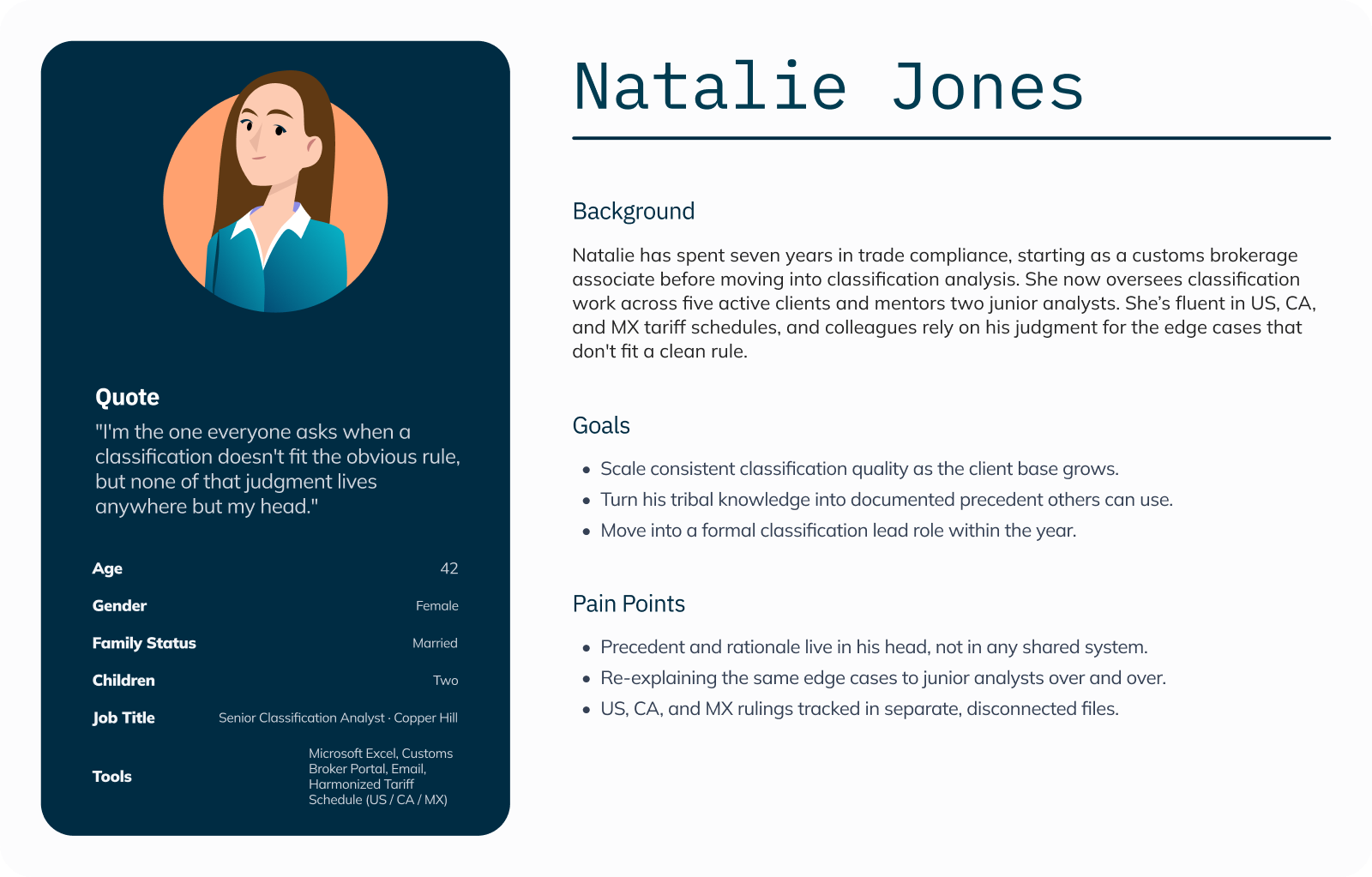
I came into the trade compliance space as a complete newcomer. Early in my internship I joined shadowing sessions and user interviews with classification analysts and managers, spoke with coworkers who used the software daily in the onsite office, and received an overview of the day-to-day life of analysts during onboarding. Seeing their work firsthand helped me quickly build context for the industry and its challenges.
Biggest user frustrations
Tool overload
Excel, Access databases, shared drives, and portals all in play — no single source of truth.
Email bottlenecks
Clarifications with clients buried in long threads, making them hard to document and trace back.
Reference gap
Constant back-and-forth to the HTS (Harmonized Tariff Schedule) website to look up the 10-digit codes used to categorize all merchandise imported into the United States.
These observations set the stage for our design goals: centralize classification in one platform, embed Q&A directly into people's workloads, and integrate HTS reference content.
Defining the MVP
We collaborated closely with the product owners to turn research insights into clear, prioritized requirements. The design team ran story-mapping workshops, wrote user stories and acceptance criteria, all aligning with stakeholders to define what belonged in the MVP versus what could be sequenced for later.
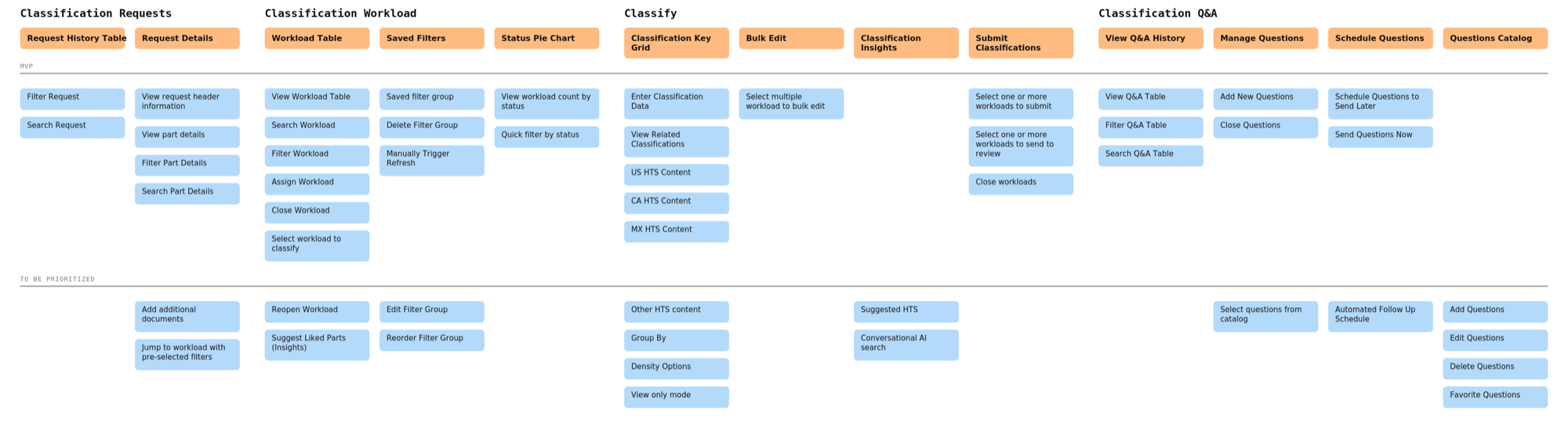
Story mapping used to capture end-to-end workflows and define MVP.
Workload Space
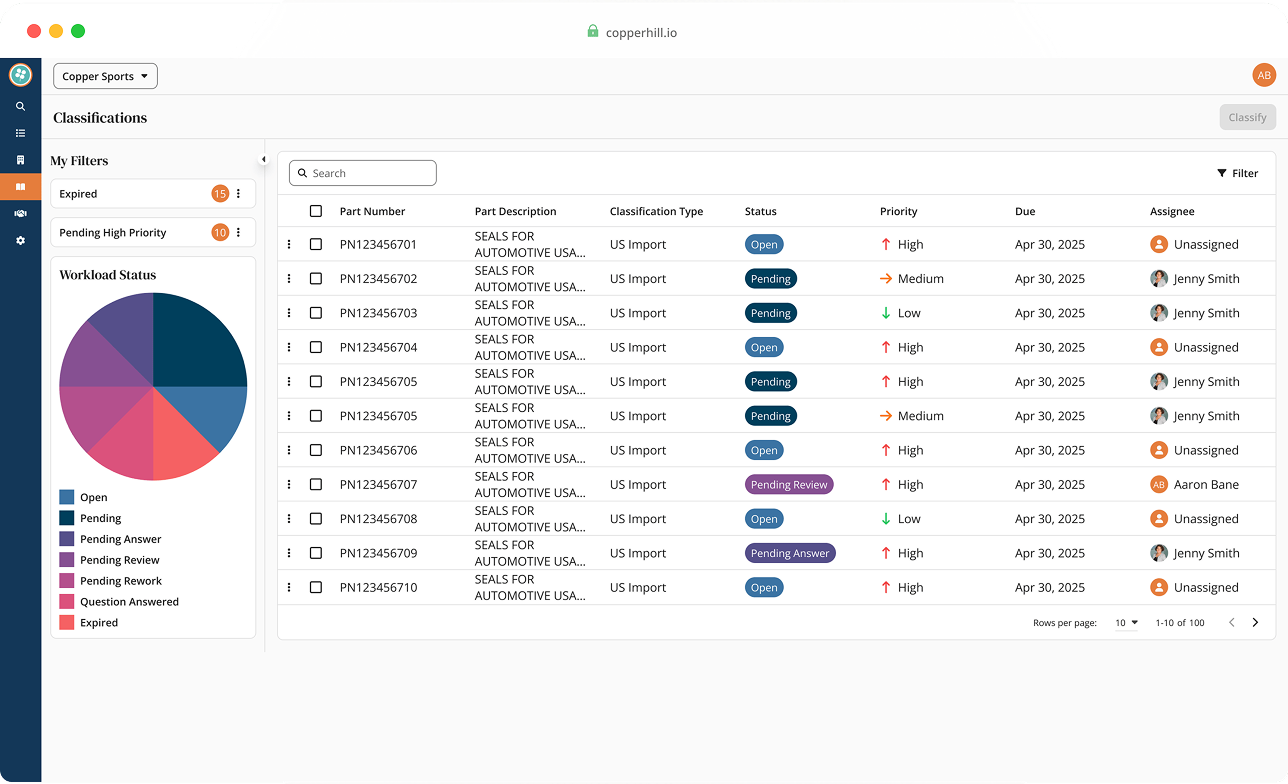
We created a single page for analysts to see and act on their classification workload. This section features UI components to display clear statuses, priority, and due date cues to help decide what to tackle first, while robust filters and saved views surface what matters in the moment.
It also features an assistive AI Like Parts feature that nudges analysts to classify similar items together, turning one‑off tasks into efficient batches.
This matters because it is fewer context switches, faster throughput, and a consistent starting point for every classification analyst using the software.
1. Central list
All pending classifications in one place.
2. Status & priority
Quick scan signals for triage.
3. Filtering & saved filters
"My assignments", "High priority", client views.
4. AI assist — Like Parts
Suggests similar parts to batch classify next.
One list for all classification work: scan, sort, filter, and assign.
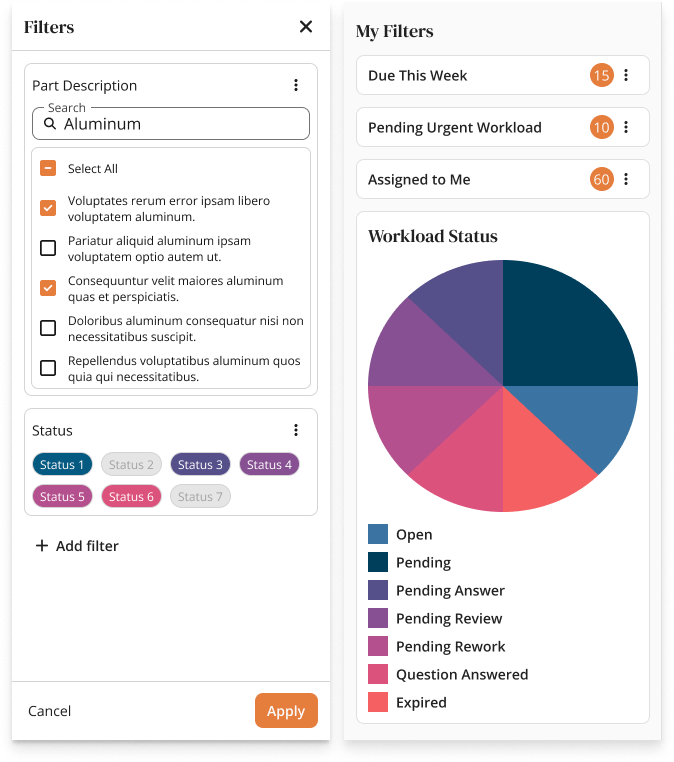
Filtering & Saved Filters: reuse filters to jump view the work that matters for every analyst's workflow.
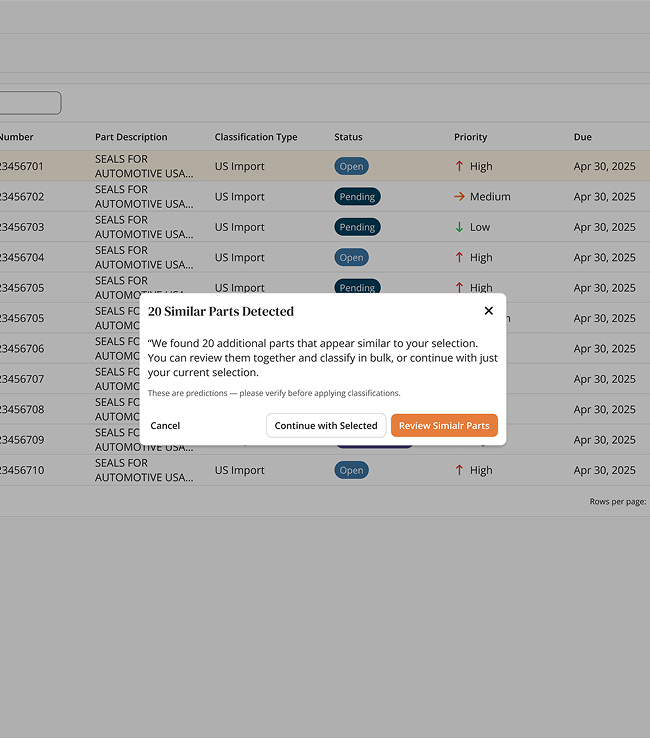
AI Like Parts: suggests similar items when a single part of a product is selected to encourage batch classification for analysts.
Apply Classification
The Apply page is an efficient, spreadsheet-like key-grid designed for a high-volume workload. Analysts arrive here with a filtered set of similar parts from the Workload view and can bulk-apply the same HTS and attributes in one pass.
1. Bulk apply
Select many rows and apply one classification where appropriate.
2. HTS content inline
Official US HTS codes and notes appear as you type with no tab-switching required.
3. Insights suggestions
Propose likely HTS based on part numbers, descriptions, and prior patterns.
4. Guardrails & audit
Structured inputs with key details captured automatically.
Users have full control throughout this process. They can accept suggestions, edit as needed, and move the batch forward.
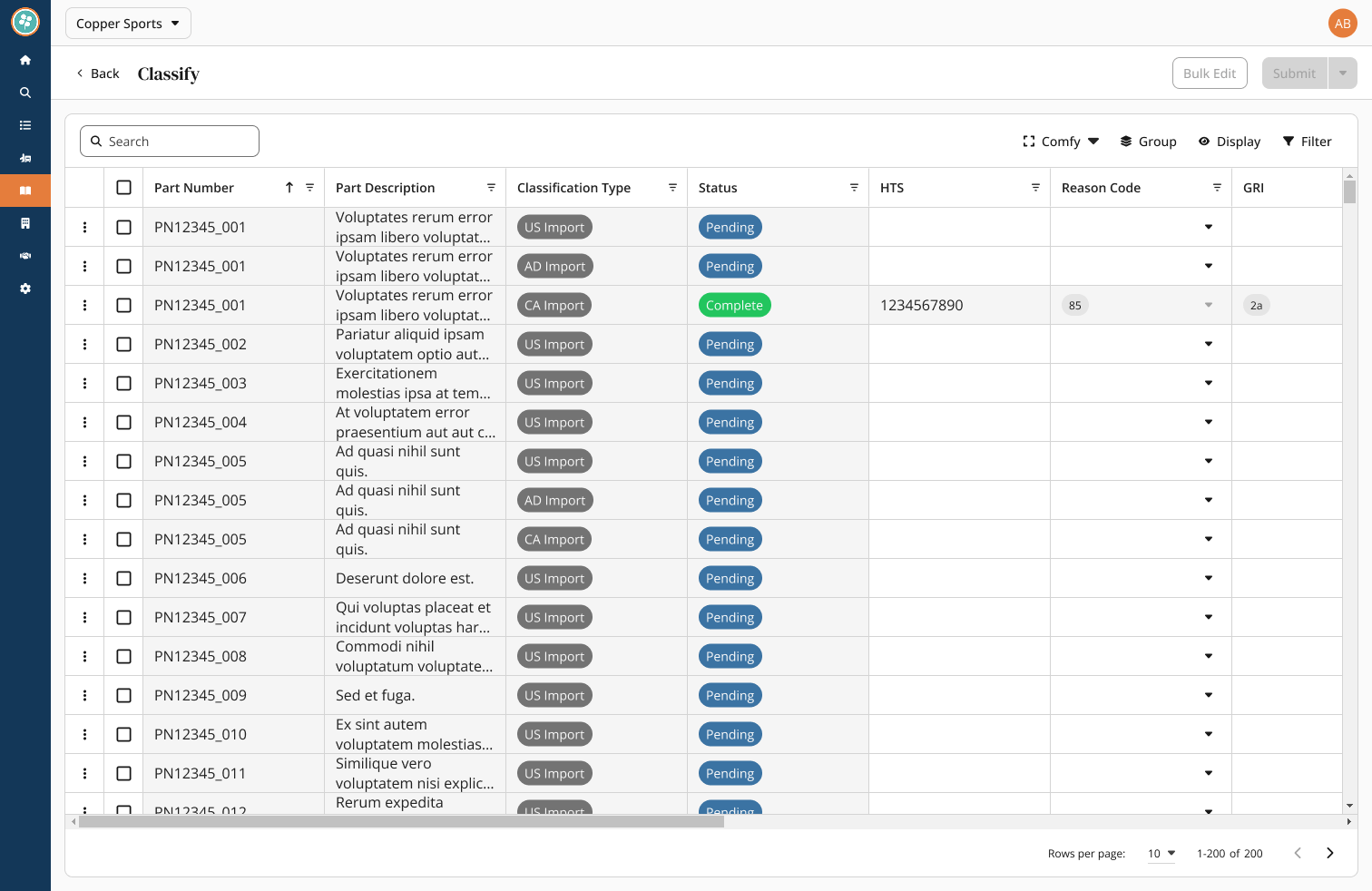
Key-grid built for efficiency: select rows, apply HTS, capture reason codes and notes.
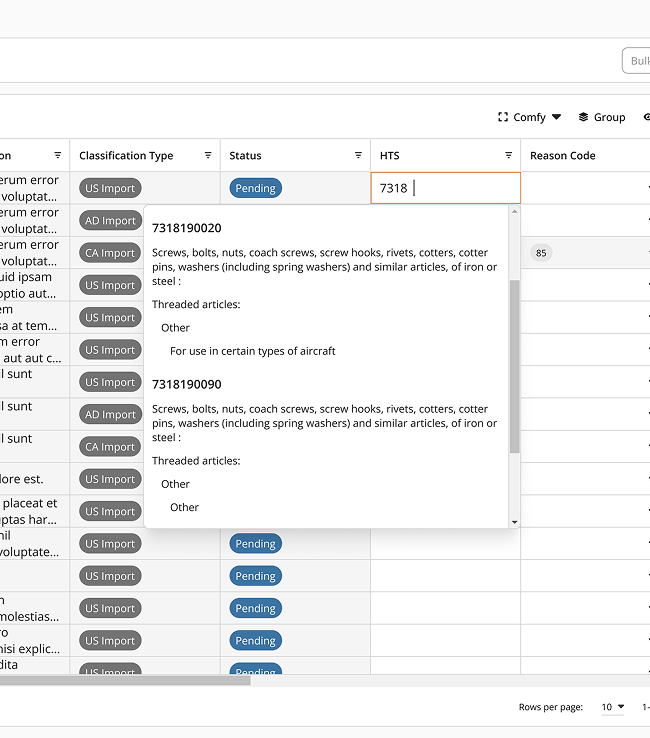
HTS content inline: official US (and other countries soon) HTS codes and notes appear as you type with no tab-switching required.
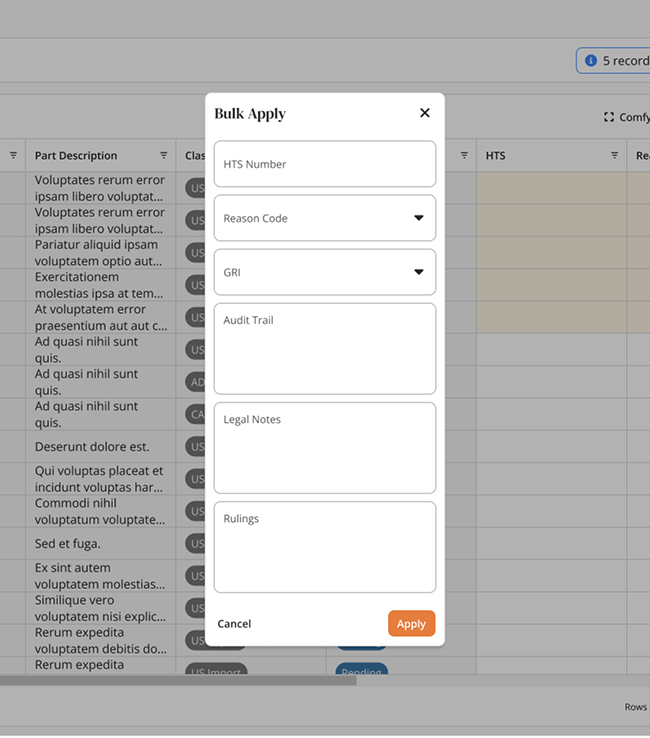
Bulk apply: classify as many similar parts at once to drive speed and consistency.
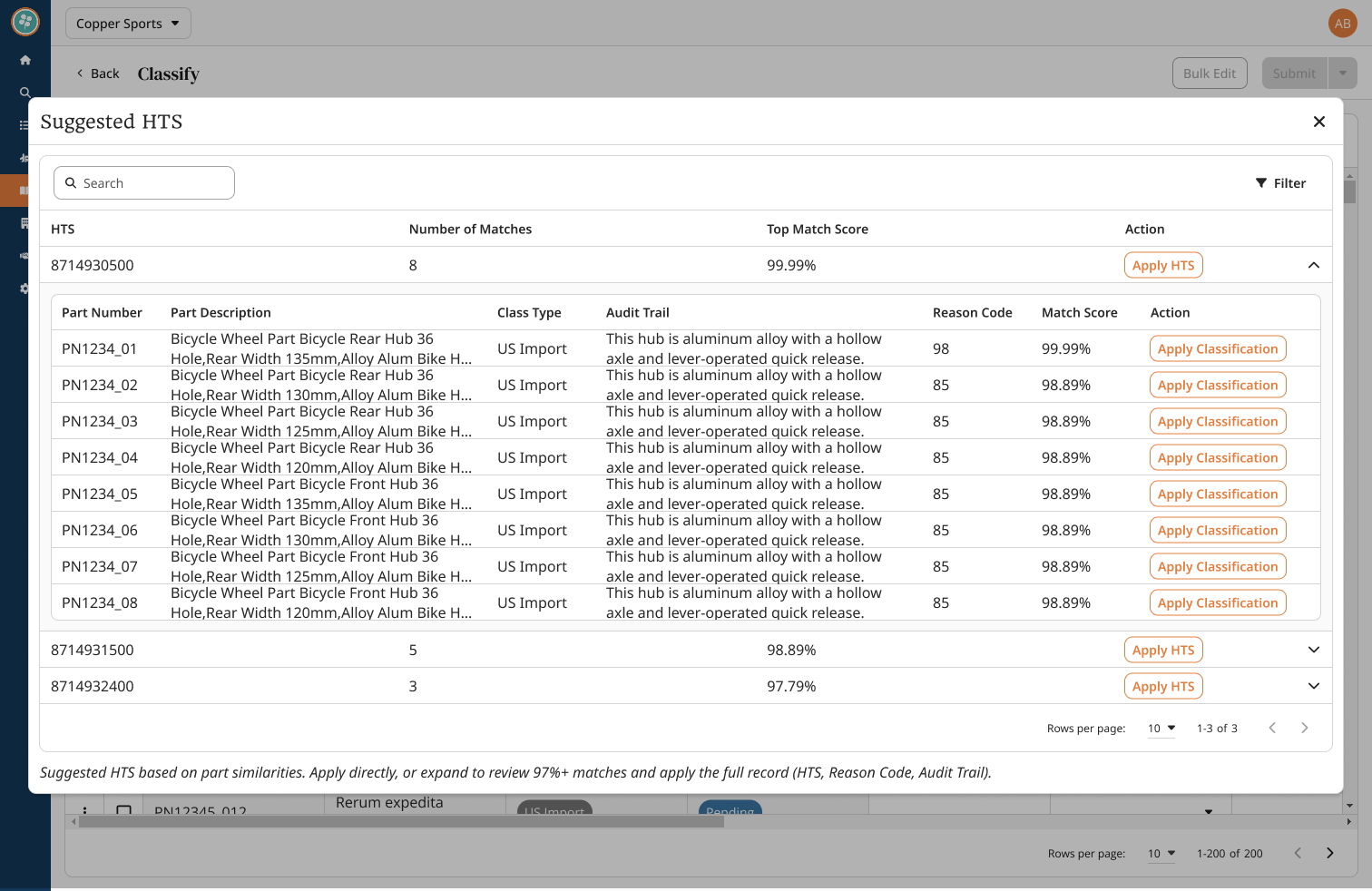
Suggested HTS (Insights): predictions based on part data with confidence indicators. However, analysts stay in control by accepting, rejecting, or refining these suggestions.
Q&A Module
Clarifications used to live in shared email inboxes: always getting lost, hard to track, impossible to search, and easy to lose. We first tried embedding Q&A directly into the Apply screen, but analyst feedback showed the need for a dedicated space for questions and answers about products. Q&A is now its own feature, with a screen for managing questions end-to-end.
Analysts can add questions, select reusable questions from a vetted catalog, and send clarifications to technical contacts via a simple portal. And while Q&A has its own screen, analysts can still pop open a Q&A side panel inside the Apply Classification module to keep clarifications close to their work.
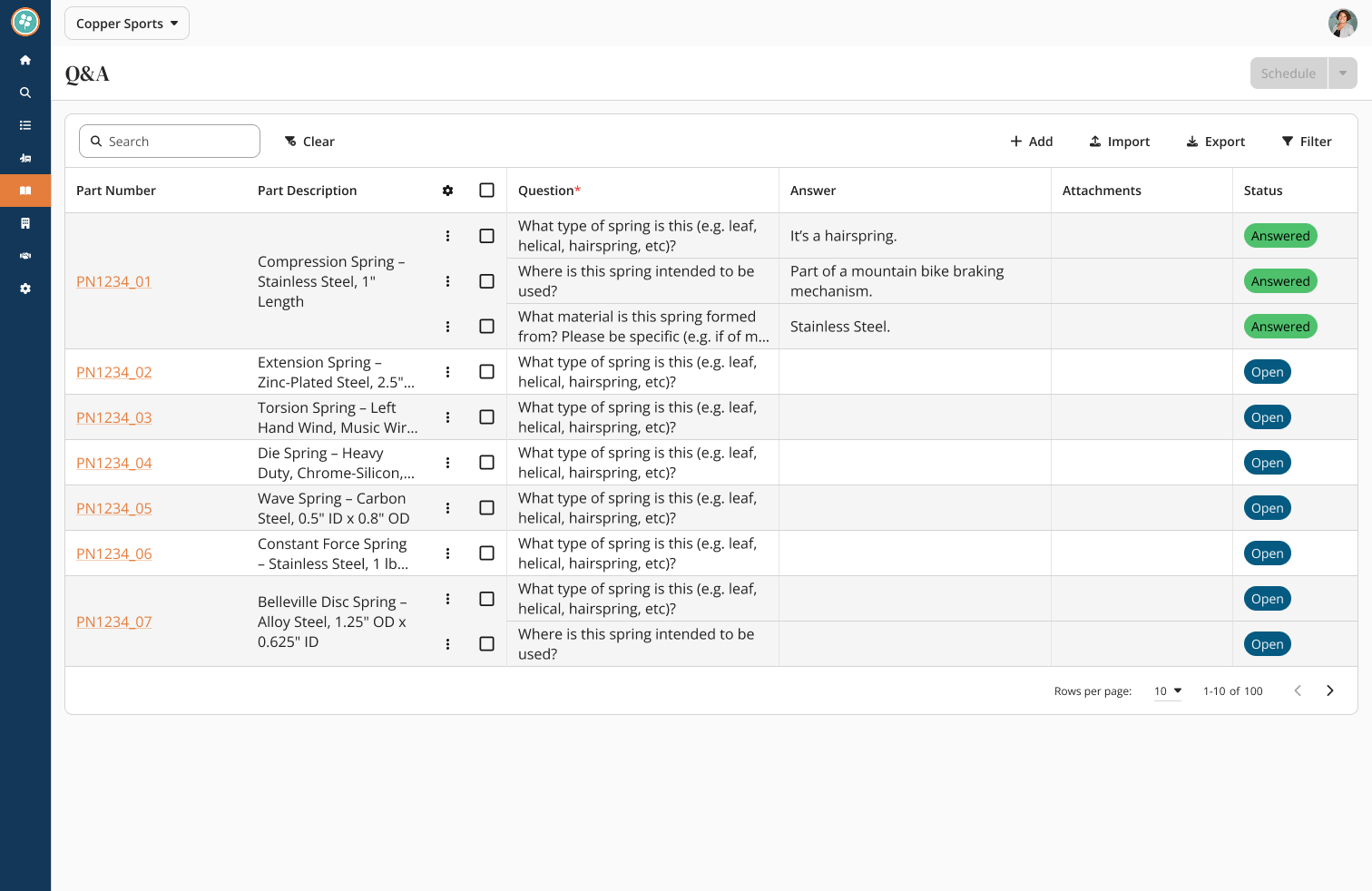
A dedicated Q&A workspace, including add, route, search, and resolve clarifications all in one place.
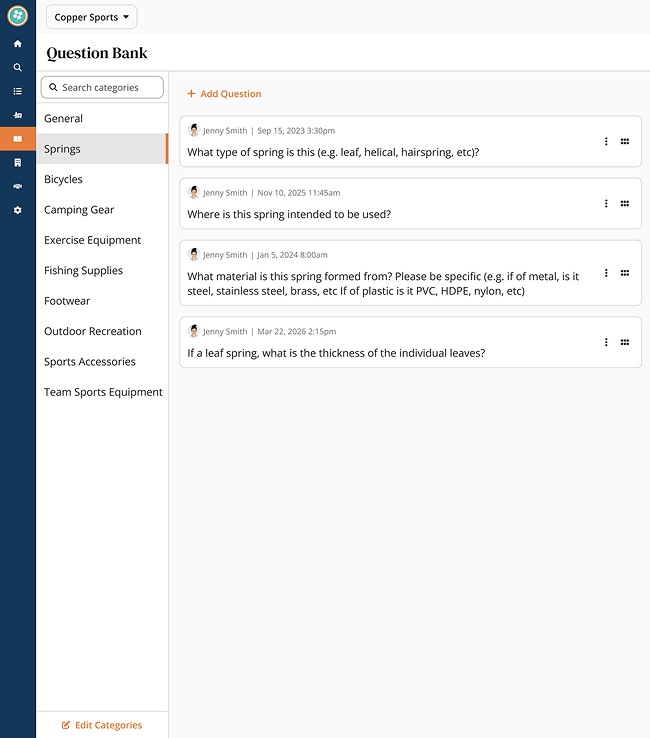
Question Catalog: vetted templates from senior analysts for common clarifications.
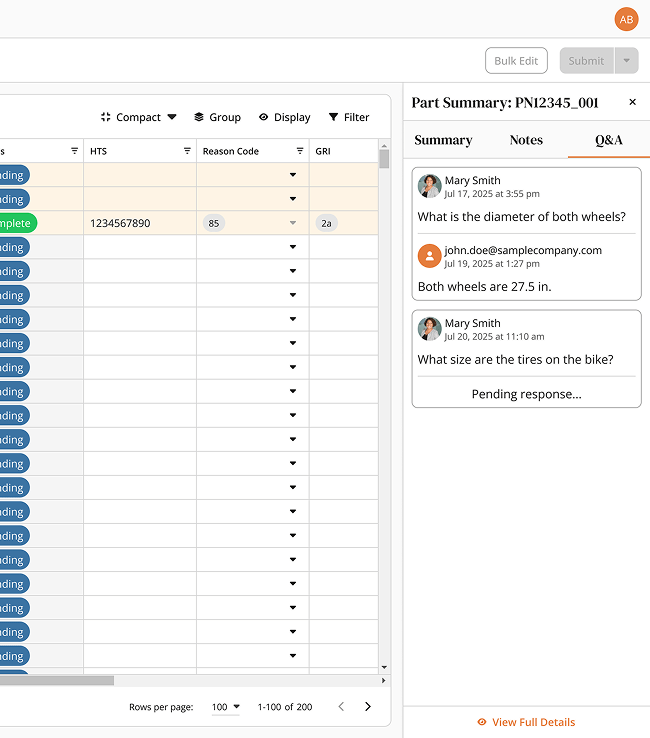
Q&A Flyout: view and manage clarifications without leaving the Apply Classification module.
Results
90% of clients migrated from Access & email
Within the first release window, over 90% of Copper Hill's client base had already migrated into the centralized system.
Efficiency
Classification teams working faster and with fewer handoffs.
Less use of email
Clarifications centralized in Q&A with searchable history.
Visibility
Q&A analytics dashboard gives managers & clients real insights.
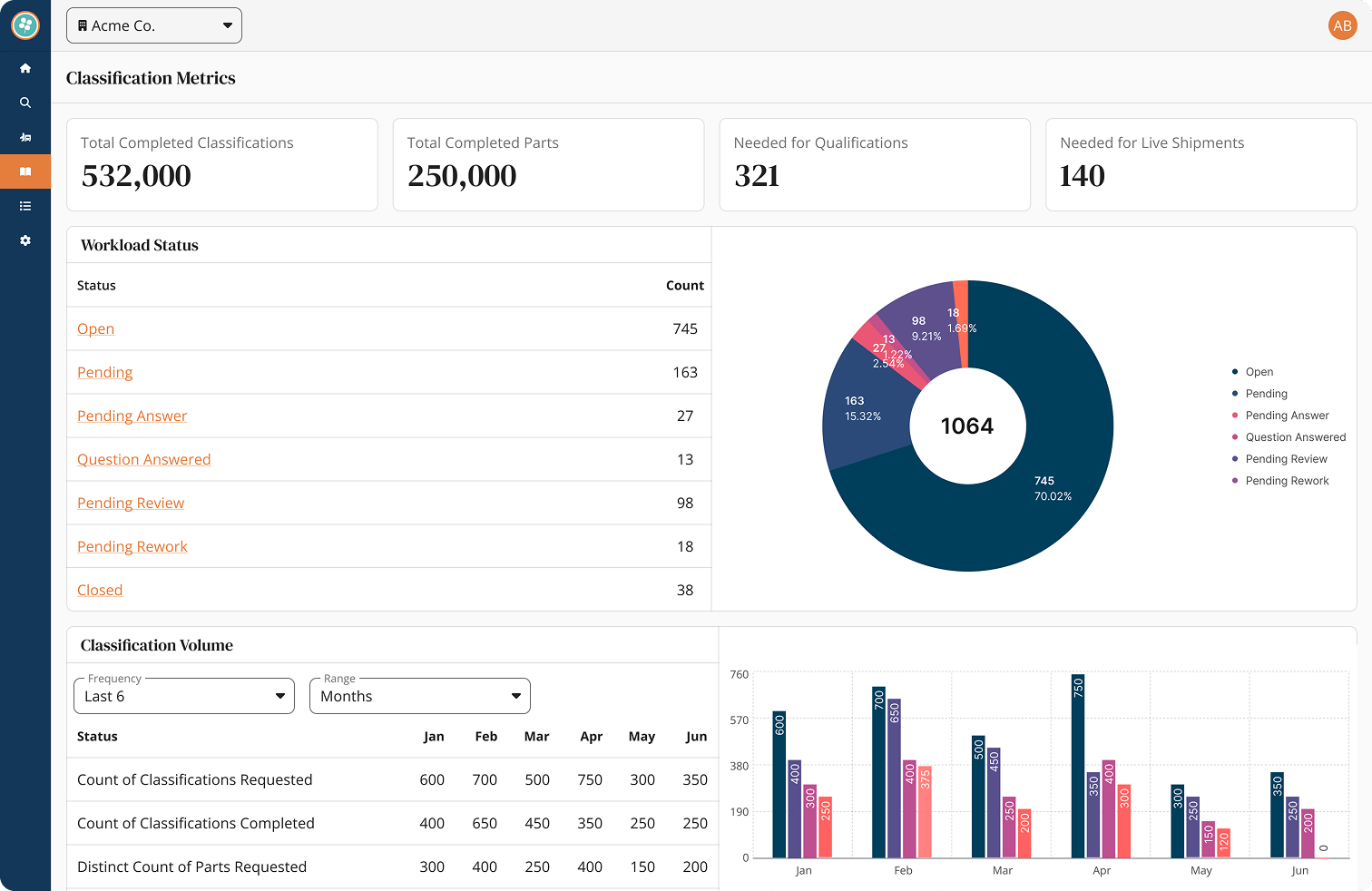
Managers and clients can track questions, responses, and resolution trends directly in the platform.
Reflection
Overall, rolling on as an intern I genuinely knew nothing about the industry. However, through onboarding, shadowing, and interviewing analysts was essential for learning the industry, Copper Hill's users, and their frustrations and pain points. My design manager made sure to make time for me to sit down with product owners to fully understand the platform as a whole and to, especially, make sense of the classification module.
Whether it was figuring out how to best represent nested data tables, metrics through pie charts, progress indicators, or high volumes of data — the most challenging part for me was the Q&A submodule. Bringing Q&A into the platform required more than UI design, because it meant reshaping habits with better routing, notifications, and templates for analysts to use. One lesson I learnt from my design manager was the importance of involving stakeholders and operations early and often. Through regular demos and feedback loops during the iterative design process we realized Q&A needed its own page instead of living on the Apply Classification page.
While I no longer work at Copper Hill, I think the introduction of more AI usage in their software could be really exciting and help significantly in other areas outside of just suggested parts. It is important to recognize users may remain skeptical of adopting AI usage into their workflow, so the value of faster classification needs to be presented clearly.
This was just some of the work I contributed during my time at Copper Hill, but the classification module was definitely a highlight of my experience and I think one of the most valuable modules on their shipped platform!
More Work
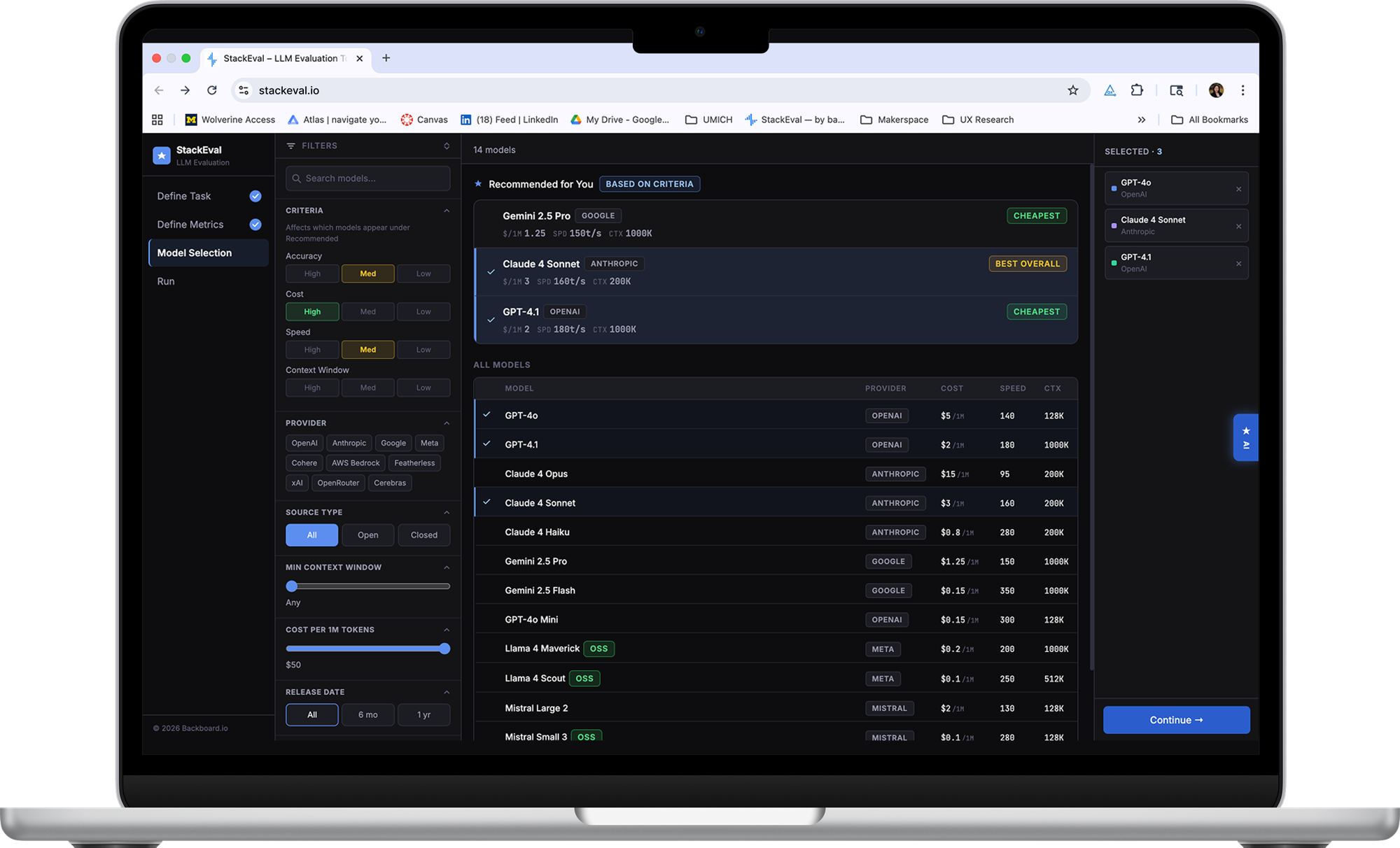
StackEval
An LLM evaluation tool built for developers, helping teams systematically test, compare, and improve their AI stack.
↗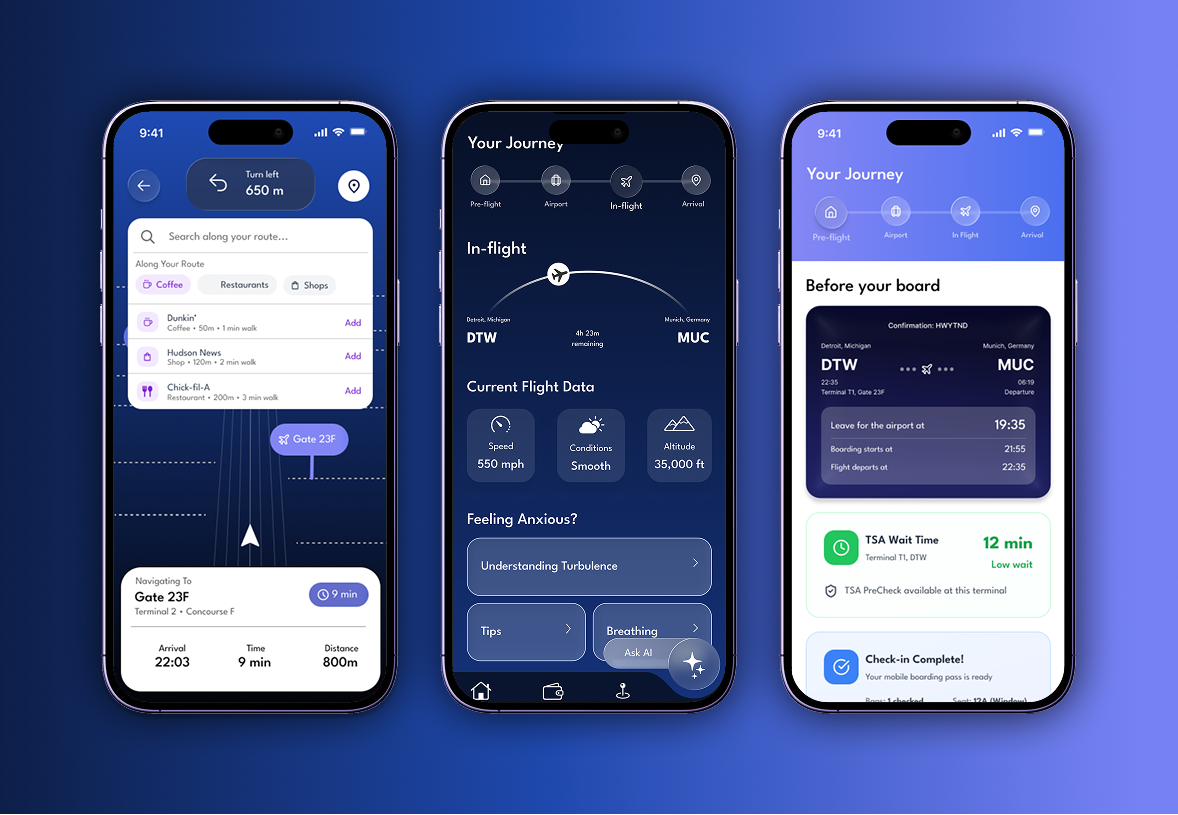
GLIDE
An iOS travel app designed to give you a calm, predictable travel experience built on market research and intuitive design.
↗