[Case 06]
mint Music App
Music Tech
Design Systems, Variables, and Prototyping
[Project Overview]
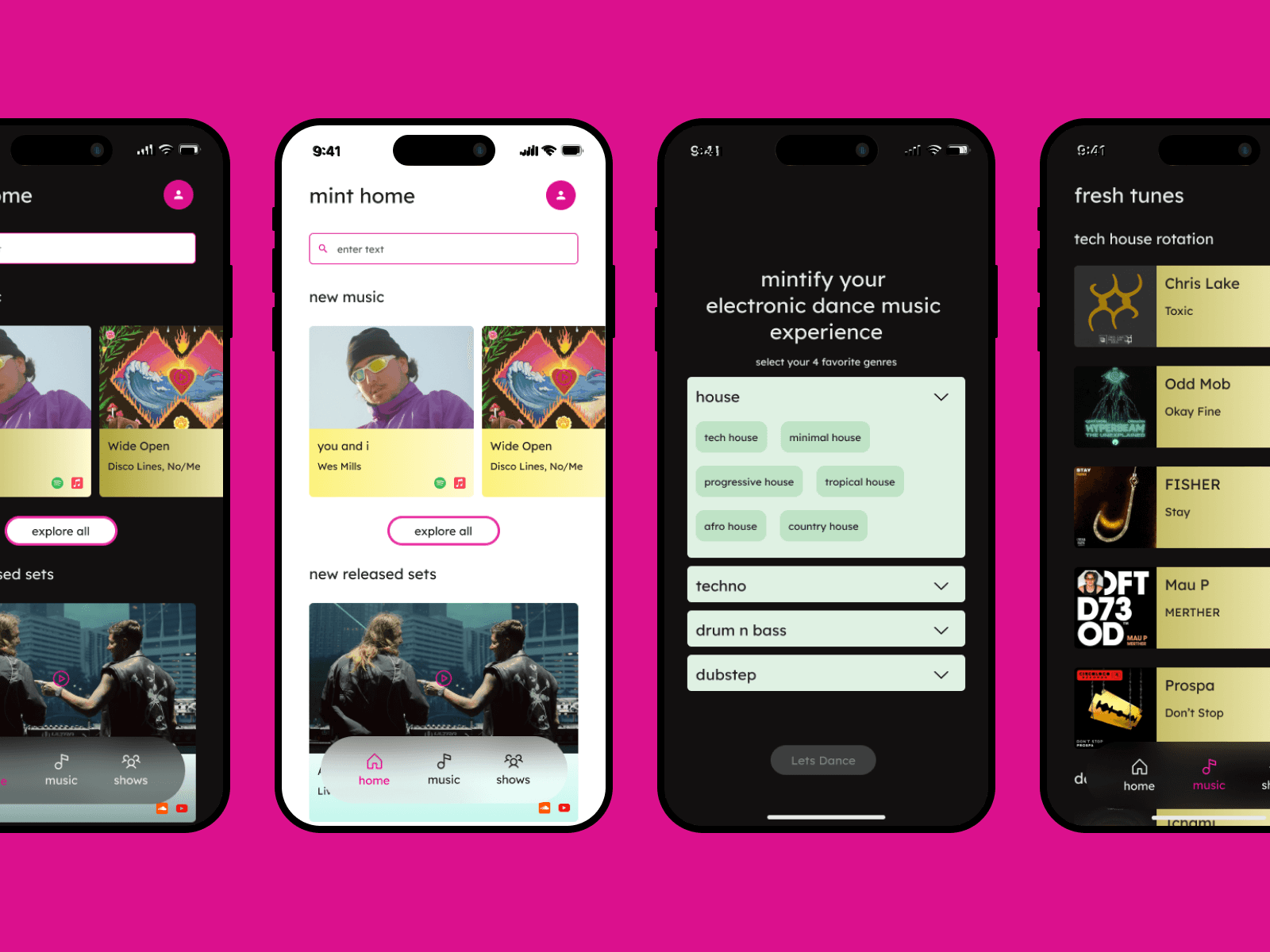
mint is a personalized EDM app that syncs with your music accounts to recommend tracks, DJ sets, and events. Incorporates advanced design system, variables, and advanced protyping skills.
[Problem Statement]
EDM (electronic dance music) fans often struggle to manage multiple platforms to discover music, track live sets, follow festival lineups, and stay updated on news. This results in a fragmented, frustrating experience with no central hub tailored to electronic music culture.
How might we create an all-in-one mobile app that streamlines music discovery, festival planning, and social connection for EDM fans?
[Typography and Color]
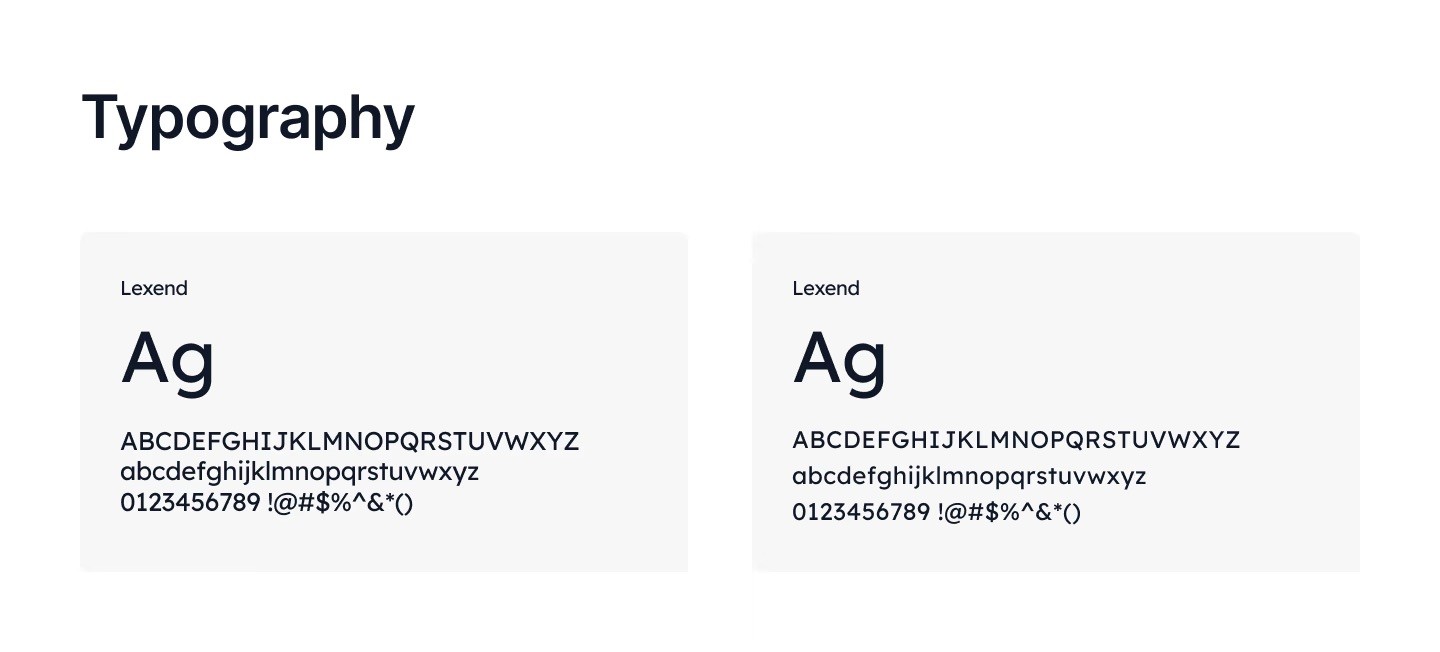
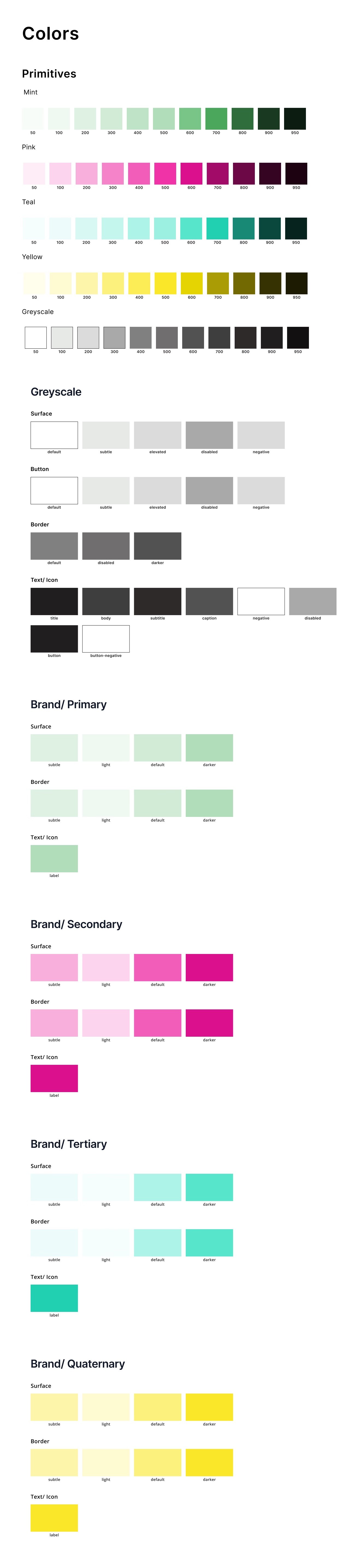
I first started establishing my typography and color pallete.
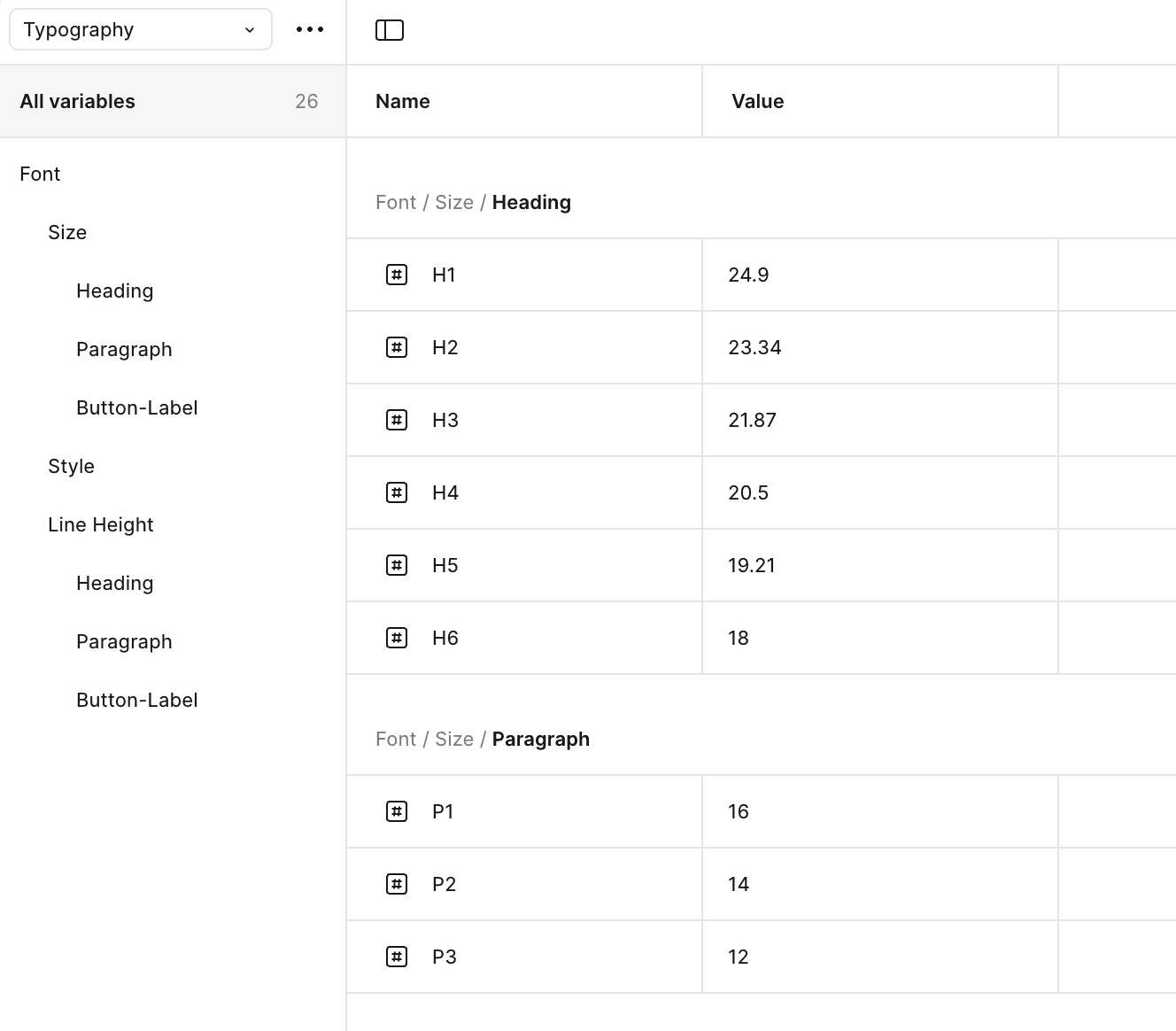
For typography, I chose modern, legible typefaces that balance EDM’s sleek, tech-forward vibe with a clean user experience:
For the color palette I wanted to draw inspiration from EDM’s high-energy visuals, combining dark themes with vibrant neon accents:
[Variables]
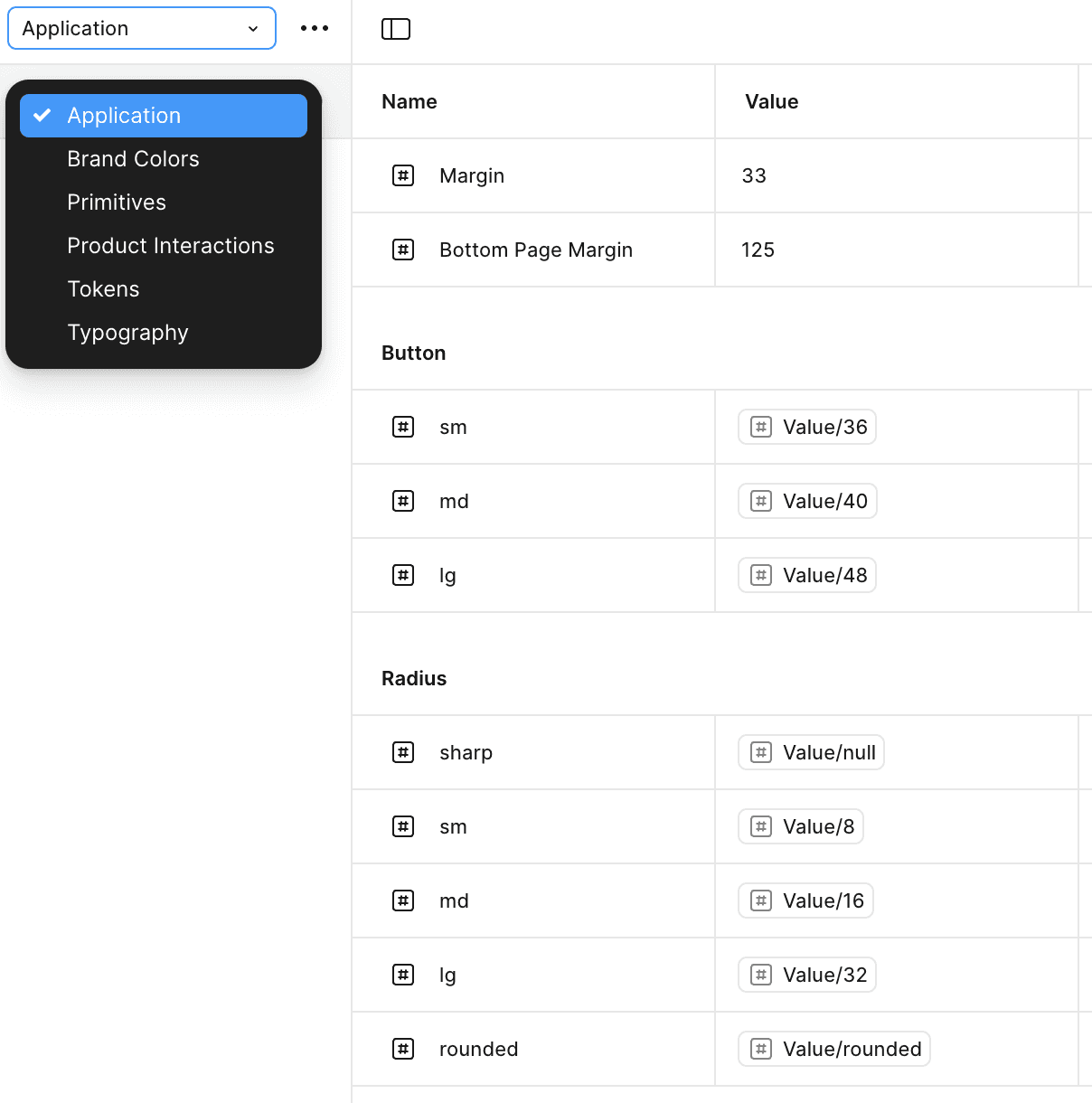
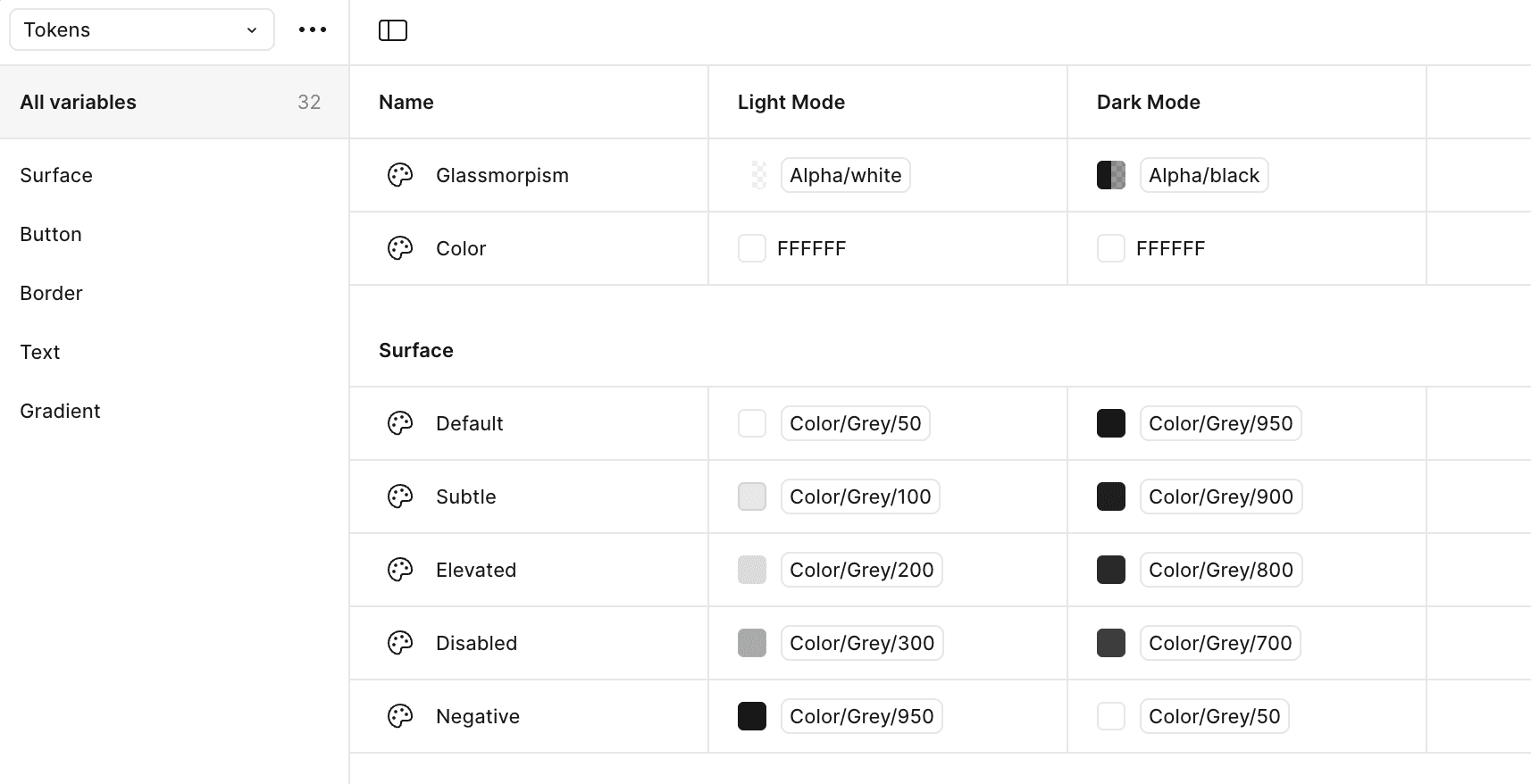
To streamline theme switching and maintain visual consistency, I used design variables for colors, typography, spacing, and states.
These variables made it easy to manage both light and dark modes, ensure accessibility, and scale the design system efficiently across screens and components.
Using variables made all of my screens responsive
[Wireframes]
Designing mint required a human-centered and iterative approach to address the unique needs of electronic dance music fans.These variables made it easy to manage both light and dark modes, ensure accessibility, and scale the design system efficiently across screens and components.
I created low-fidelity wireframes to map key user flows like music discovery, event tracking, and itinerary planning.
These helped me focus on layout, hierarchy, and navigation before moving into visual design. Early feedback ensured the structure aligned with user needs.
[Slide the black middle bar to see before and after results]
Components
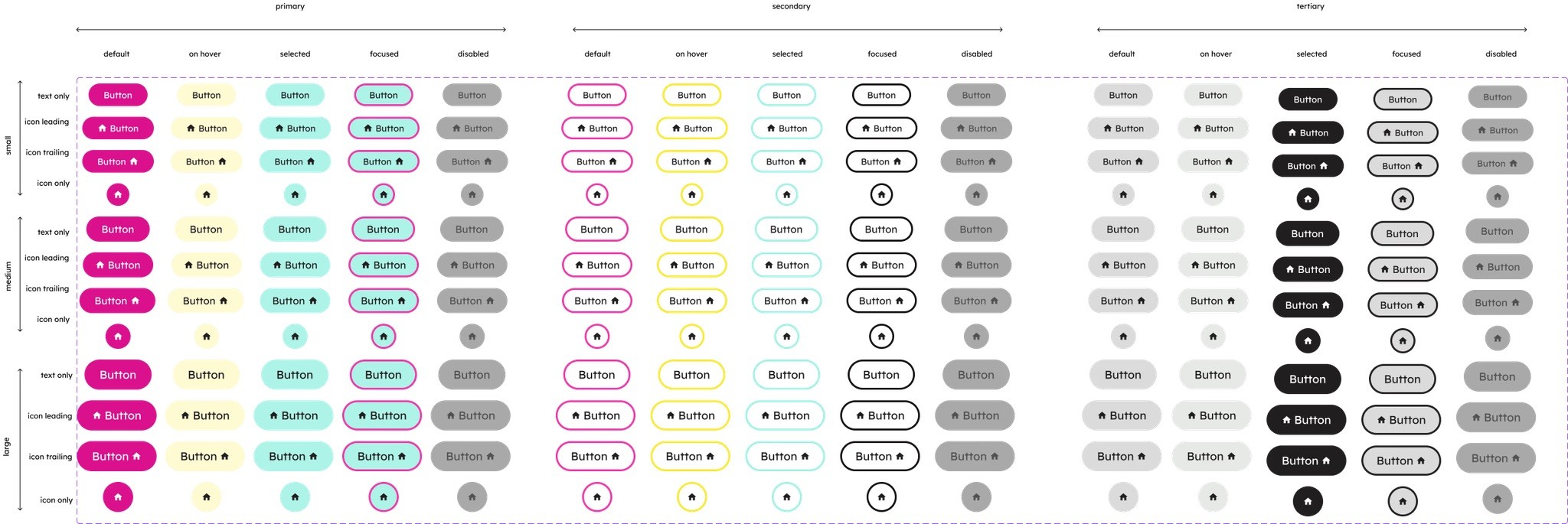
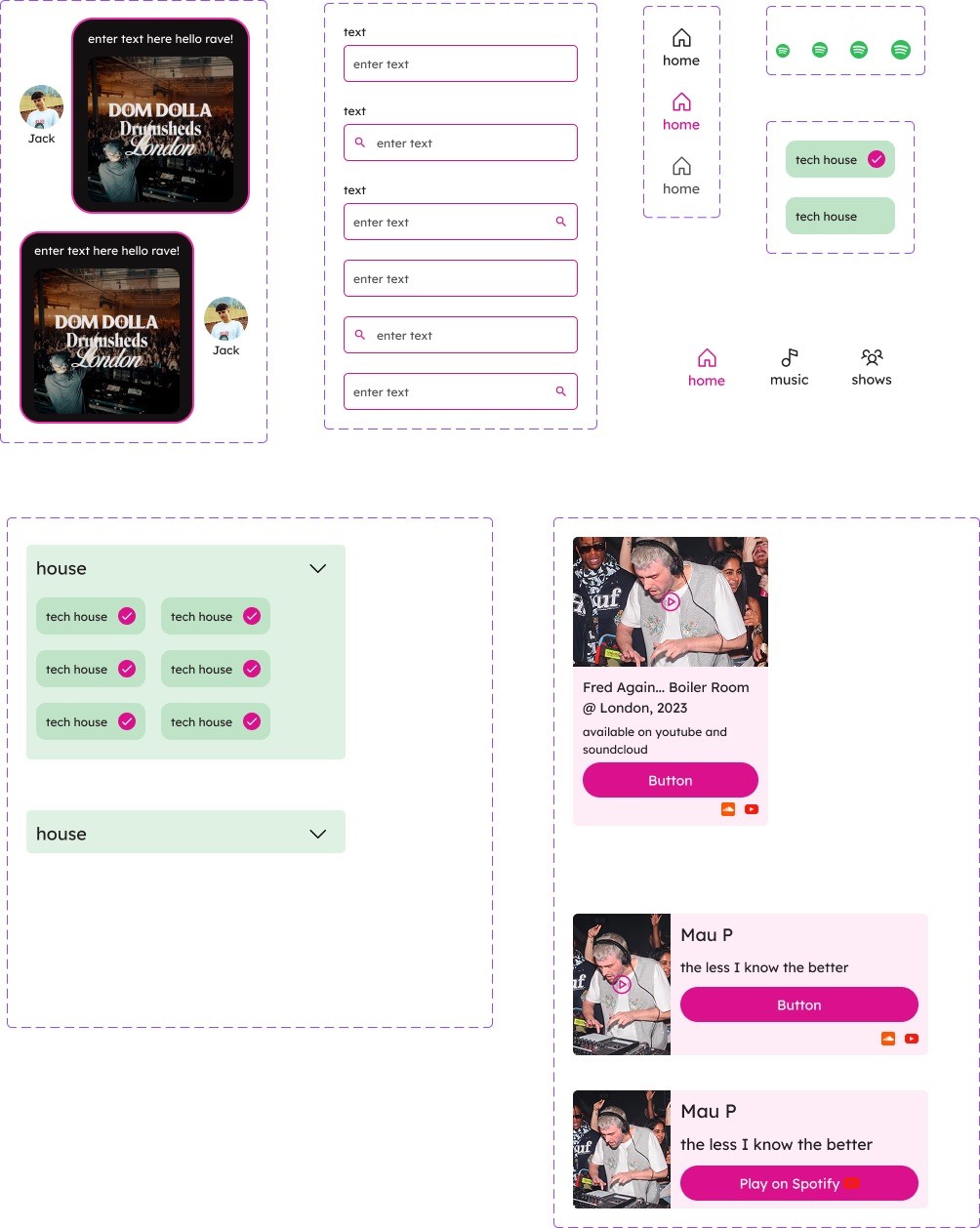
To ensure consistency and streamline design, I built a reusable component library in Figma. I created low-fidelity wireframes to map key user flows like music discovery, event tracking, and itinerary planning.
This included buttons, navigation bars, cards, and event tiles, all styled to match mint’s visual language.
These components supported faster iteration and a scalable UI system and allowed for advanced prototyping.
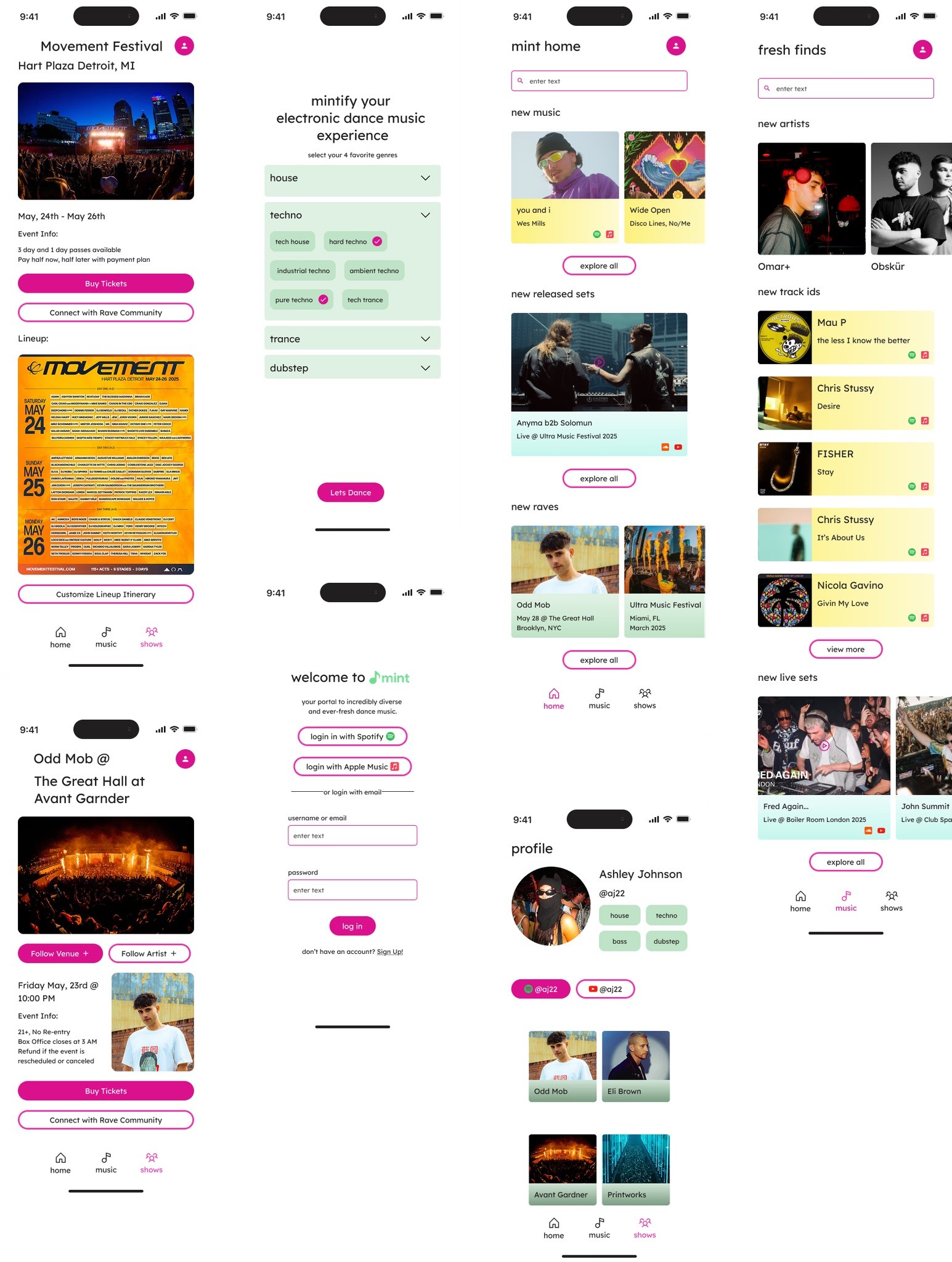
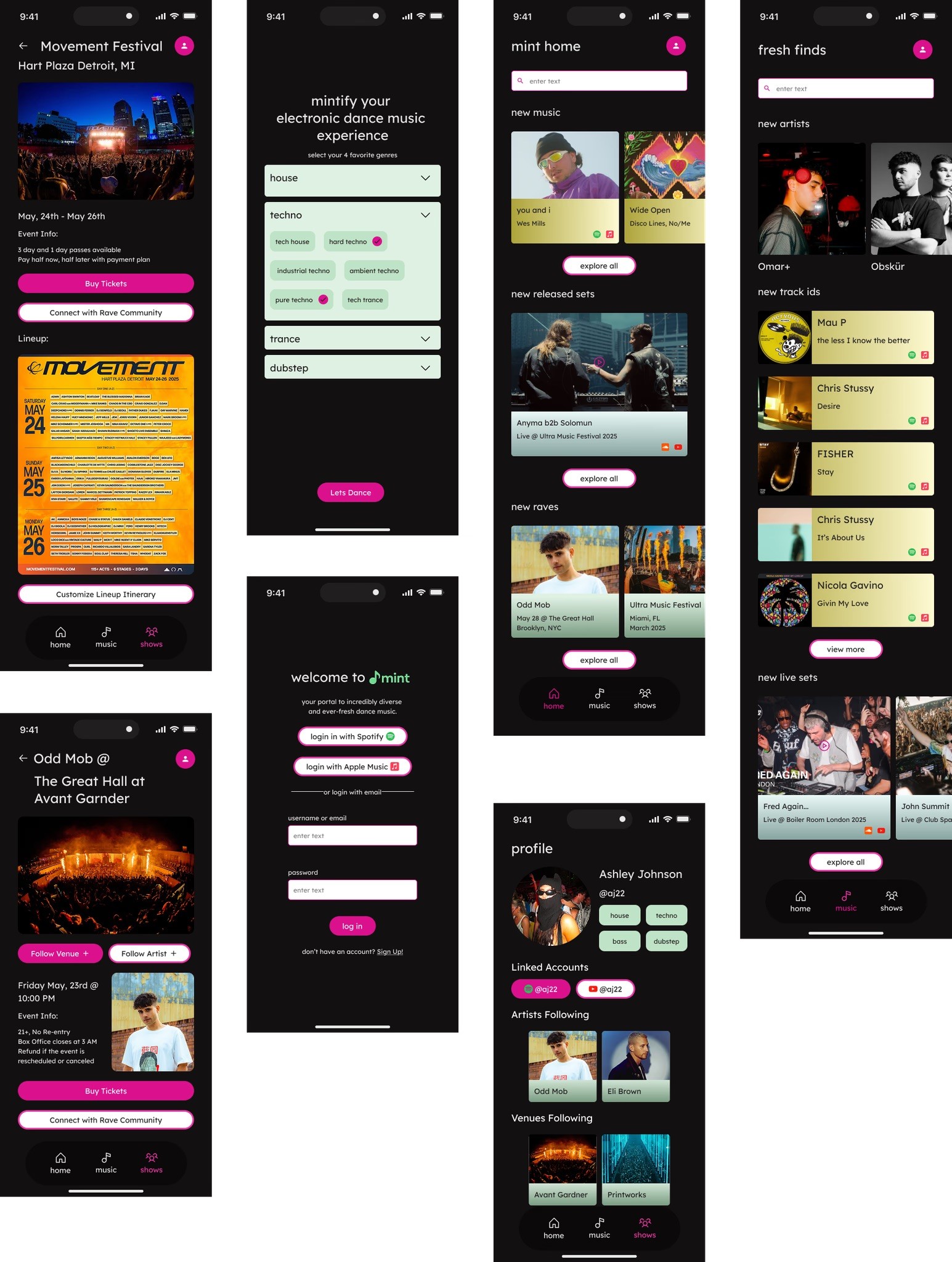
Light and Dark Mode High Fidelity Mockups
With the structure in place and components finalized, I brought mint to life through high-fidelity mockups This included buttons, navigation bars, cards, and event tiles, all styled to match mint’s visual language.
With the click of a button you can switch mockups from light to dark thanks to variables!
My mockups are different sizes to incoraprate scroll
Advanced Prototype
Connected all screens and attached embedded prototype!
Includes smart animations and conditional prototyping with variables
In Dark Mode:
10/10 Users gave the app a 99% user satisfaction score
100% Users said they would share with their friends
Users expressed expanding it to other genres of music
Mastering Scalable Design Systems
I strengthened my skills in systems thinking by setting up design variables and component libraries, which helped me efficiently support both dark and light modes while keeping the UI consistent.
Advancing Prototyping Techniques
I pushed myself to experiment with advanced prototyping in Figma, simulating dynamic interactions like theme switching, music playback, and multi-step flows.
Expanding Creative and Technical Growth
This project encouraged me to think beyond individual screens, sharpen my technical design abilities, and explore future opportunities such as social features and real-time data integration.